For design studios
A design system and brand book from a logo
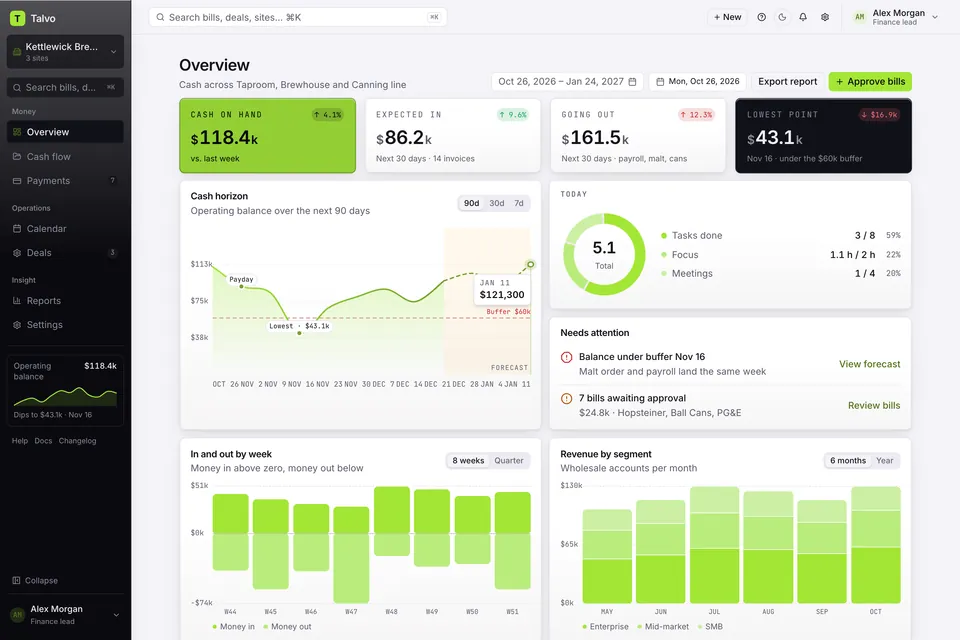
Attach a logo to your prompt and GliaKit Studio takes its main colours as the brand, then designs every page of the app on one design system in that brand. The same logo fills a brand book in Studio's Library: logo use, the app icon, colours with HEX, RGB and HSL values, type, voice and the brand in use.
Free trial, no card. See pricing
How it works in Studio
Design studios and freelancers starting a client's product from the logo the client already has.
Attach the logo to the prompt
SVG, PNG, WebP or JPEG. Studio reads the logo's commonest vivid colour as the brand colour, and a second one when there is one.
Generate the app
Studio designs every page in that brand and puts the logo in the navigation, in the slot it fits: a full logo or a symbol, for light or dark backgrounds.
Complete the logo set
On the brand book's Logo page, add the full logo and the symbol, each with a version for dark backgrounds. The Overview lists what's still missing before it goes to the client.
Write the brand's words
On the Voice page: a tagline, a sentence about what the product is and who it serves, and up to four words for how it sounds.
Tune the system
Choose a style, fonts, corners and effects in the Theme tab, and every page follows. The Colours page checks how text reads on the brand against WCAG AA.
Hand it over
Share the app as a prototype link for comments. On the paid plan, download the project with its tokens and logo files, or send every page to Figma.
What you hand over
- A brand book in Studio: logo use with clear space, minimum size and what not to do, the app icon and browser tab, colours with a brand scale and contrast checks, typefaces and voice
- The design system's foundations and its components in the client's brand, in the Library's other two tabs
- In the download (paid plan): the logo files in public/brand, the browser-tab icon, the tokens at the end of globals.css, DESIGN.md, design/tokens.json and VOICE.md
- In Figma (paid plan): every page as editable layers, with the brand colour as a variable
Limits worth knowing
- The brand book lives in Studio's Library. It isn't a PDF, and share links show the app's prototype, not the brand book.
- Studio reads colours from a logo file, not from a website.
- A black, white or grey logo has no strong colour, so the brand colour stays as it was and you set it yourself.
- Studio doesn't draw logos. It uses the logo as supplied; without one, the app gets a generated initial beside its name.
- In Figma, the brand colour comes over as a variable; the rest of the theme doesn't yet.
More apps designed in Studio
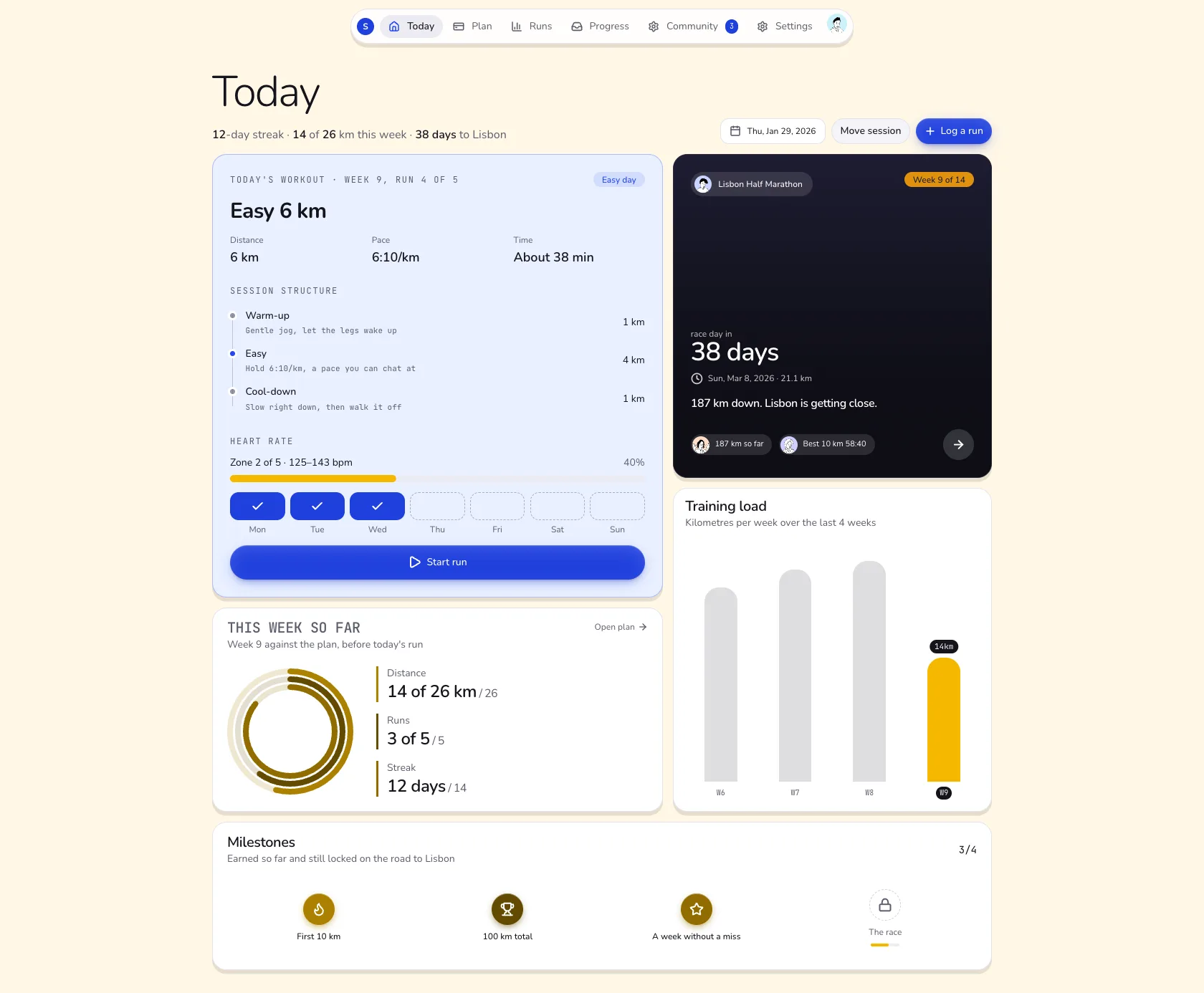 From a prompt6 pagesStrideRunning coach for a first half marathonStride, a running coach for people training for their first half marathon. The runner opens it every morning to see today's workout, how the week is going and how close the race is.
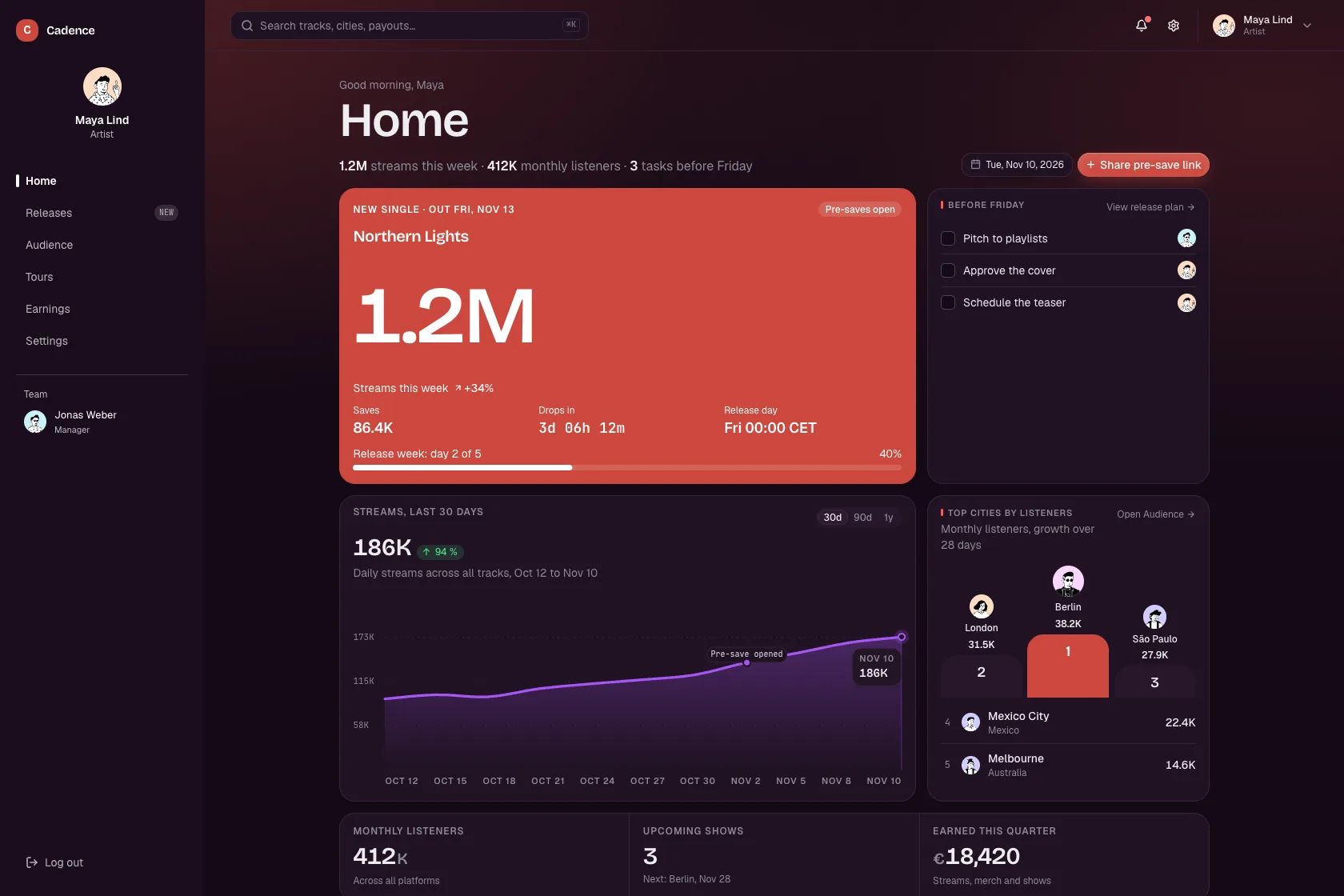 From a prompt6 pagesCadenceCareer dashboard for an independent musicianCadence, the home of an independent musician's career: streams, fans, releases and money in one place. The artist and her manager open it every morning to see how the new single is doing, where listeners are growing, and what to do before Friday's release.
What the trial includes
The trial designs, themes and shares. Downloading the code and sending pages to Figma come with the paid plan.
See pricingRead next
Only need the brand colours and shadcn/ui tokens from a logo?
Get your logo's colours with the free toolQuestions about brands and logos
Still unsure? Email dejan@veljanoski.com and the person who built it will reply.
Start from the logo.
Get the app designed.
Attach the client's logo to your prompt and Studio designs every page of the app in their brand.
Or start from an example