For founders
Show investors the product, not a deck
GliaKit Studio designs every page of your MVP from one prompt, in one consistent look, and you don't need design skills to use it. You share it as a clickable prototype link that opens without an account, and when you're ready to build, it exports a Next.js project for your developers or your own AI tools.
Free trial, no card. See pricing
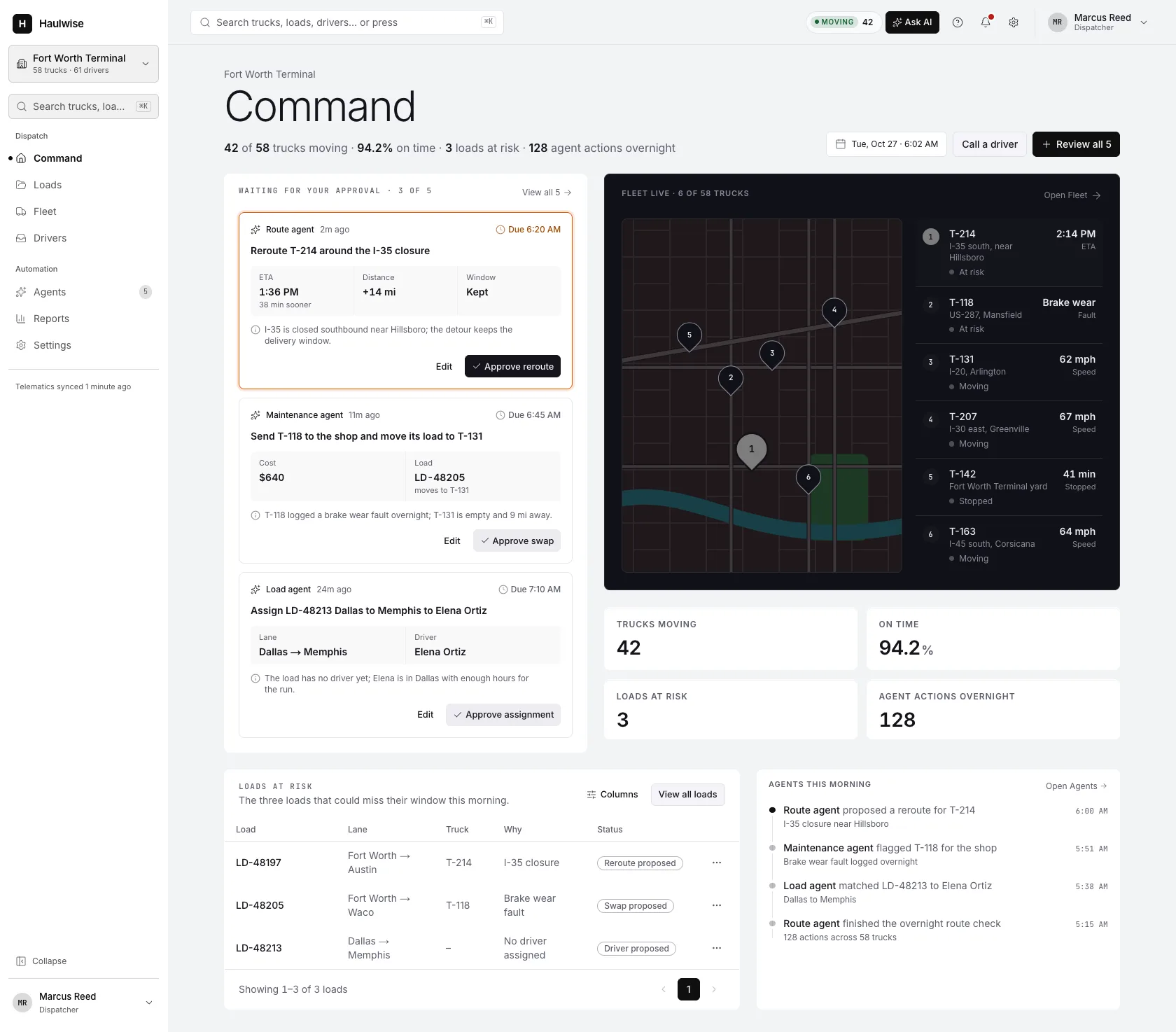
How it works in Studio
Founders without a designer who need to show the product before it's built: to investors, early customers or the developers who'll build it.
Describe the product
What it does, who opens it and which pages it has, in two sentences or a full spec. Studio plans the pages and designs each one.
Pick a look
Studio suggests four styles for your prompt; pick one and every page follows. Attach your logo to set the brand colours.
Put in your own words and numbers
Double-click any text to change it in place: the names, figures and labels your pitch is about. Redesign any page with a one-line note.
Wire the click-through
Link buttons to pages, dialogs and drawers, then try it in Play mode, the way an investor will click it.
Share the link
A Can view link for a meeting, a Can comment link for advisers. Revoke a link from the same dialog and it stops working at once.
Hand it to whoever builds it
On the paid plan, download a Next.js project with a README of every page, the design as DESIGN.md and rules files for Cursor and Claude Code.
What you hand over
- A prototype link to every page and overlay, in your app's theme, that opens without an account
- Version history: name a version before the pitch, and you can see or restore it later
- A plain Next.js project on the free kit, with no Studio runtime inside (paid plan)
- Rules your developers' AI tools read: AGENTS.md, CLAUDE.md and .cursor/rules (paid plan)
- Every page in Figma as editable layers, if a designer joins later (paid plan)
Limits worth knowing
- It's a design, not a working product: Studio doesn't build a backend, connect a database or host the app.
- The figures on the pages are written into the design, so the prototype shows the numbers you typed, not live data.
- A share link shows the project as it is now, so changes you make after sending it show up for everyone who has it.
- During the trial, share links show a small “Designed with GliaKit” link, and sharing stops when the trial ends.
- Studio designs the app's pages. It doesn't make the pitch deck.
More apps designed in Studio
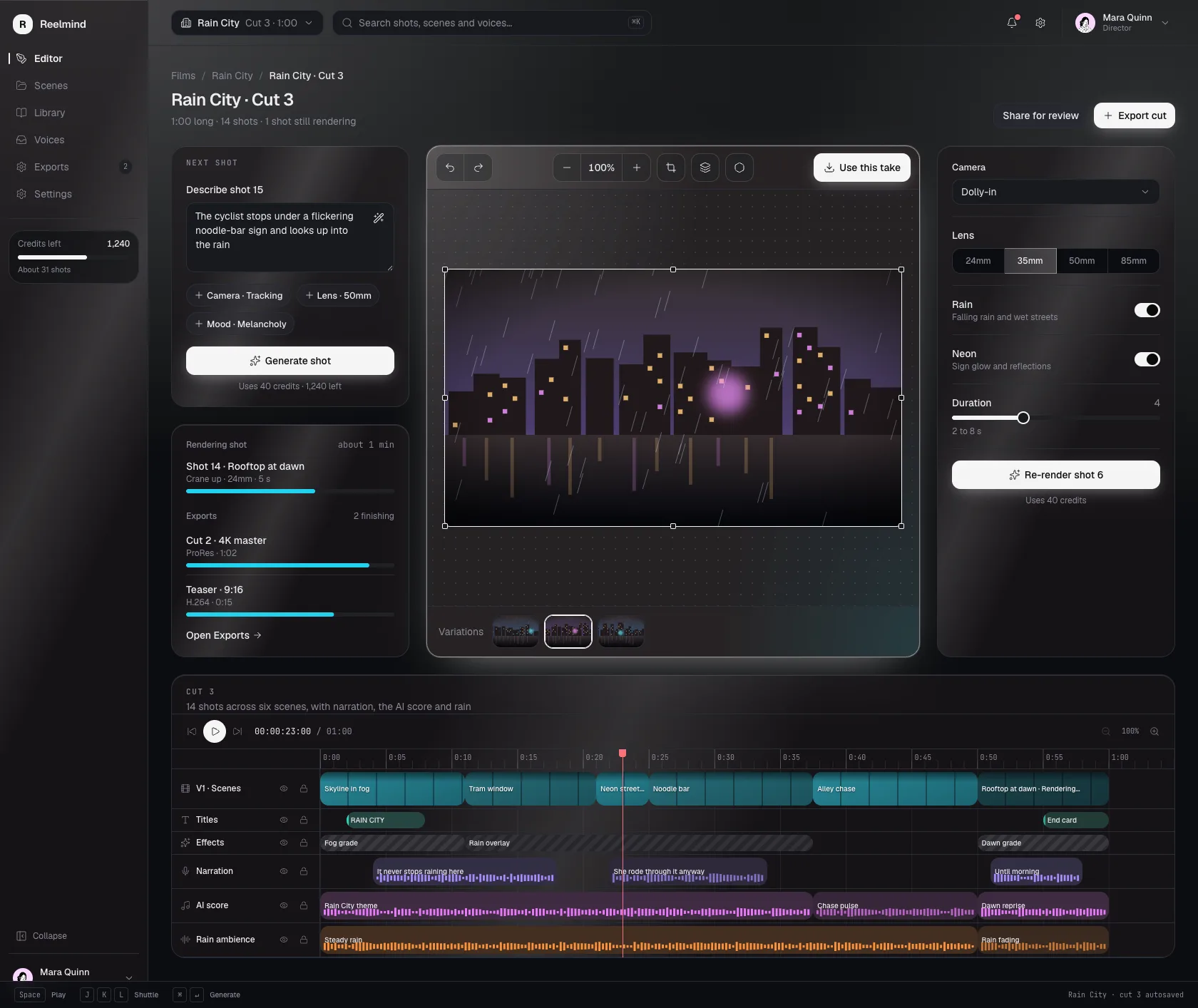 From a prompt6 pagesReelmindEditor for an AI film studioReelmind, an AI film studio where a small team makes short films from prompts: they describe a shot, the AI renders it, and they cut the shots together on a timeline with narration and an AI score. The director opens the Editor every day to generate the next shot, check what is still rendering and trim the cut.
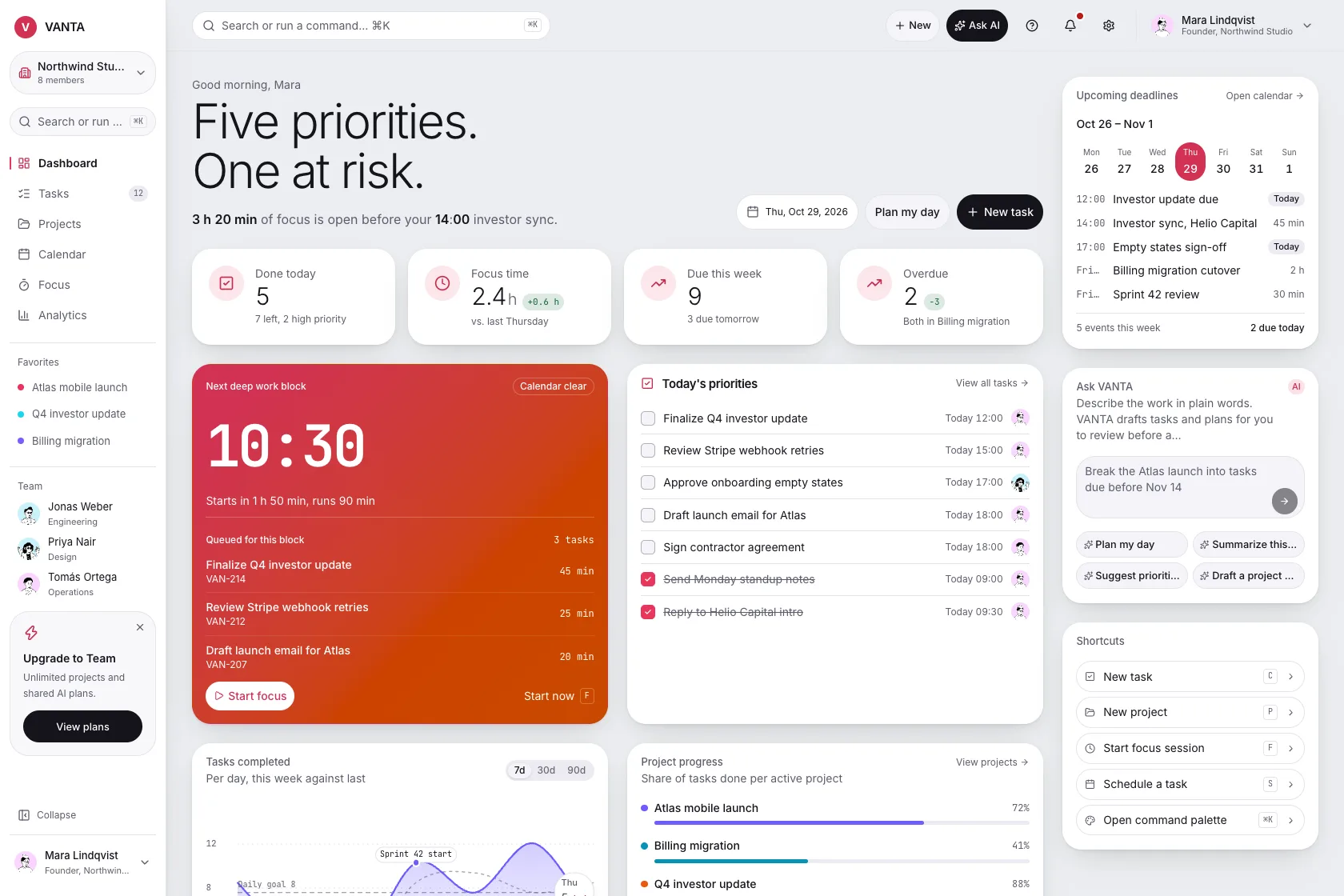 From a full spec6 pagesVANTAAI task and focus plannerBuild VANTA, a premium AI-powered productivity and task management platform for professionals, entrepreneurs, and teams.
What the trial includes
The trial designs, themes and shares. Downloading the code and sending pages to Figma come with the paid plan.
See pricingQuestions from founders
Still unsure? Email dejan@veljanoski.com and the person who built it will reply.
Describe your product.
Show it designed.
Type what you're building and Studio designs every page, ready to share as a clickable prototype.
Or start from an example