Style · Dark · GliaKit Studio
Midnight Neon: a dark neon UI style with glowing gradient buttons
Midnight Neon is a dark neon style: a magenta brand colour over a mesh of coloured light, cards with a glow and an inner shadow, gradient buttons, and Space Grotesk with monospace labels. It suits nightlife, music, gaming, events, parties and clubs: apps that should feel like the night they're for.
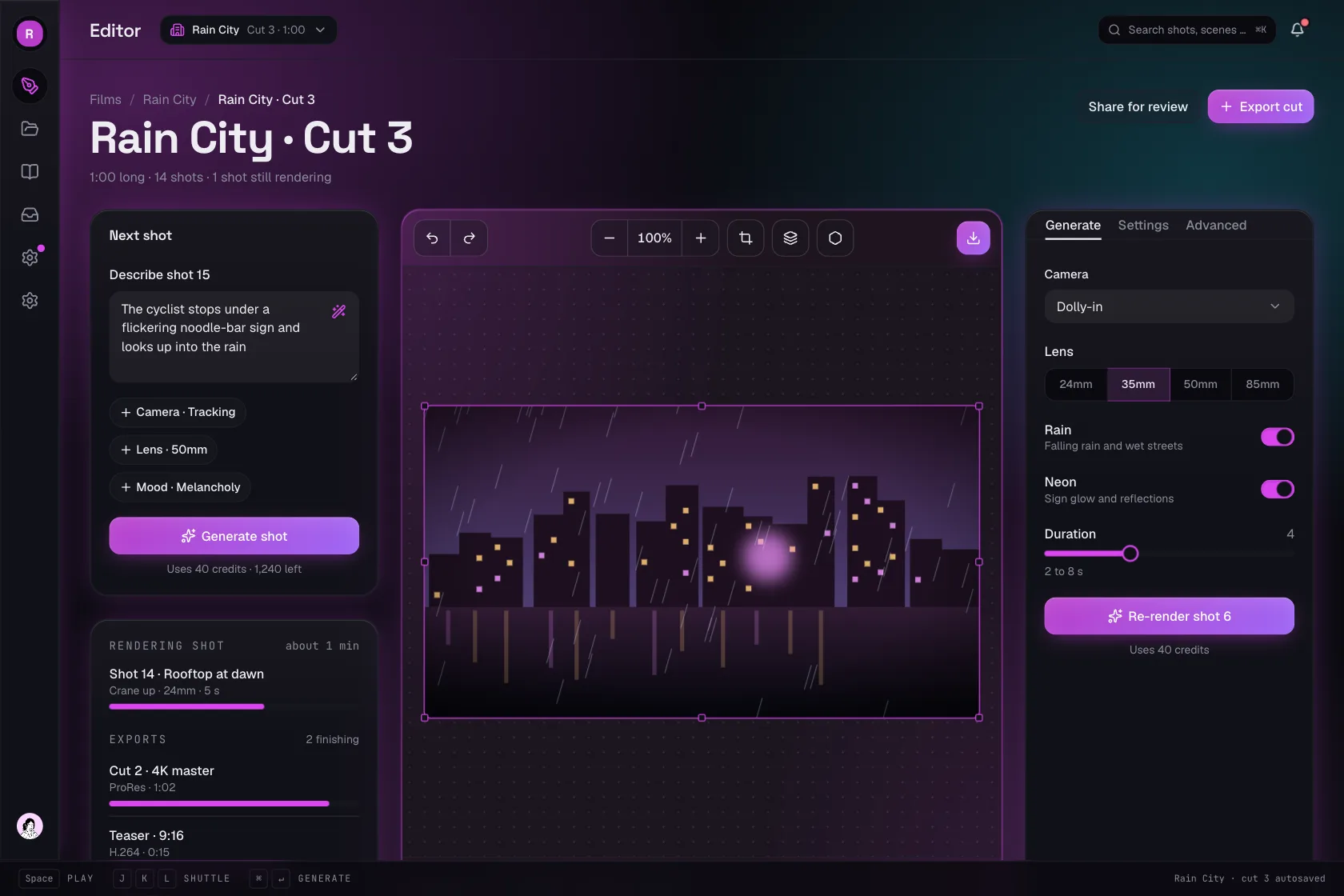
What Midnight Neon changes
Picked in Studio, the style sets all of this on every page at once.
- Colour
- Dark mode under a mesh of coloured light, with magenta as the brand colour
- Type
- Space Grotesk headings, Geist body text, monospace labels
- Corners
- Round: 12px on buttons and fields, 20px on cards
- Density
- Comfortable: Studio's standard 4px spacing step
- Cards
- Bordered, with a strong glow and an inner shadow
- Controls
- Gradient buttons, filled fields, soft tinted badges, minimal tables
Colours
- #d946efBrand: buttons, highlights and glow
Made for
Studio suggests Midnight Neon when a prompt mentions:
- neon
- nightlife
- music
- gaming
- events
- party
- club
Every page downloads as a plain Next.js project on the free GliaKit kit, in this style, and goes to Figma as editable layers.
More styles
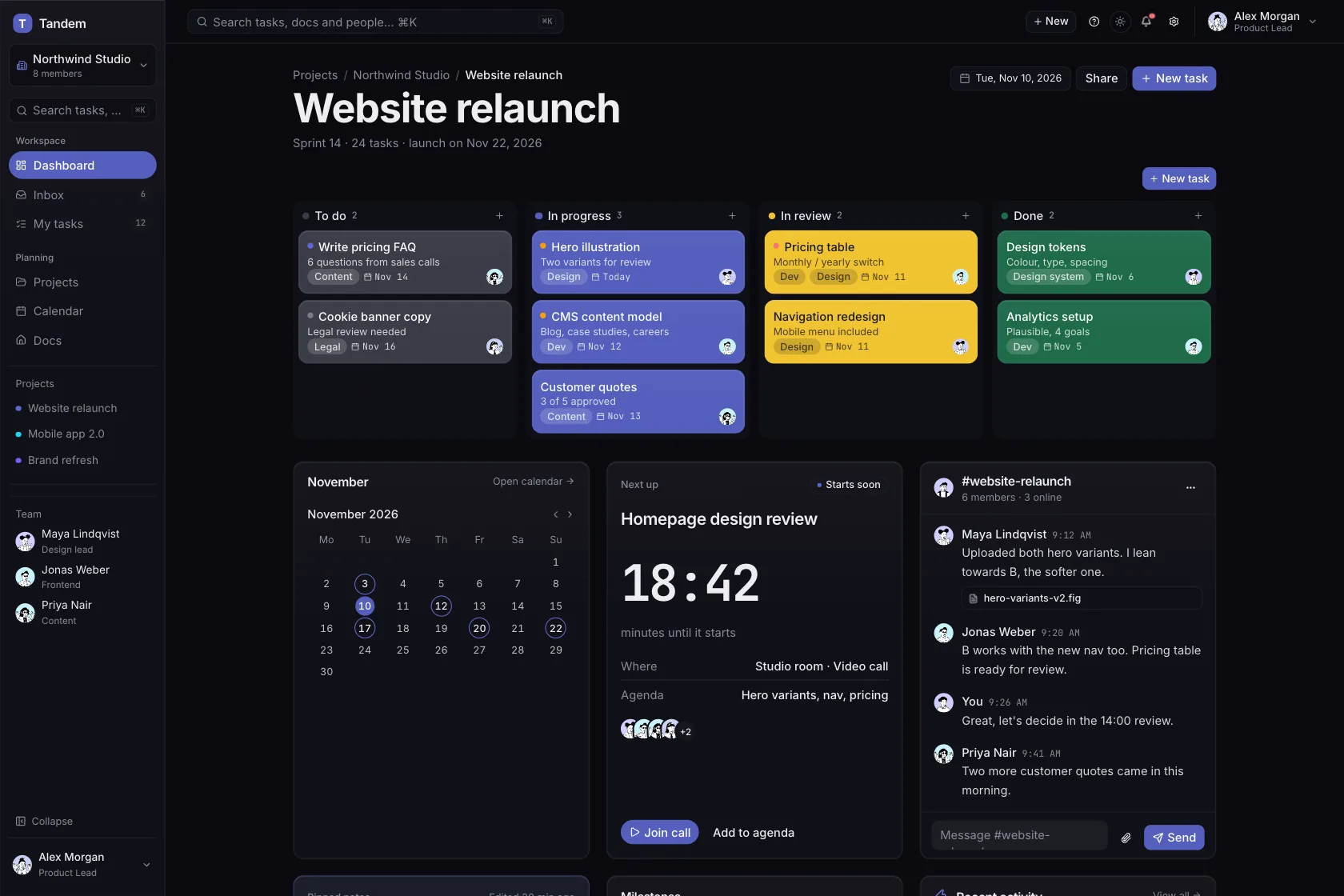 Popular styleDarkDark FocusA dark, compact UI style: a low-contrast workspace with an indigo accent, bordered cards with a faint inner shadow, filled fields and Inter throughout.
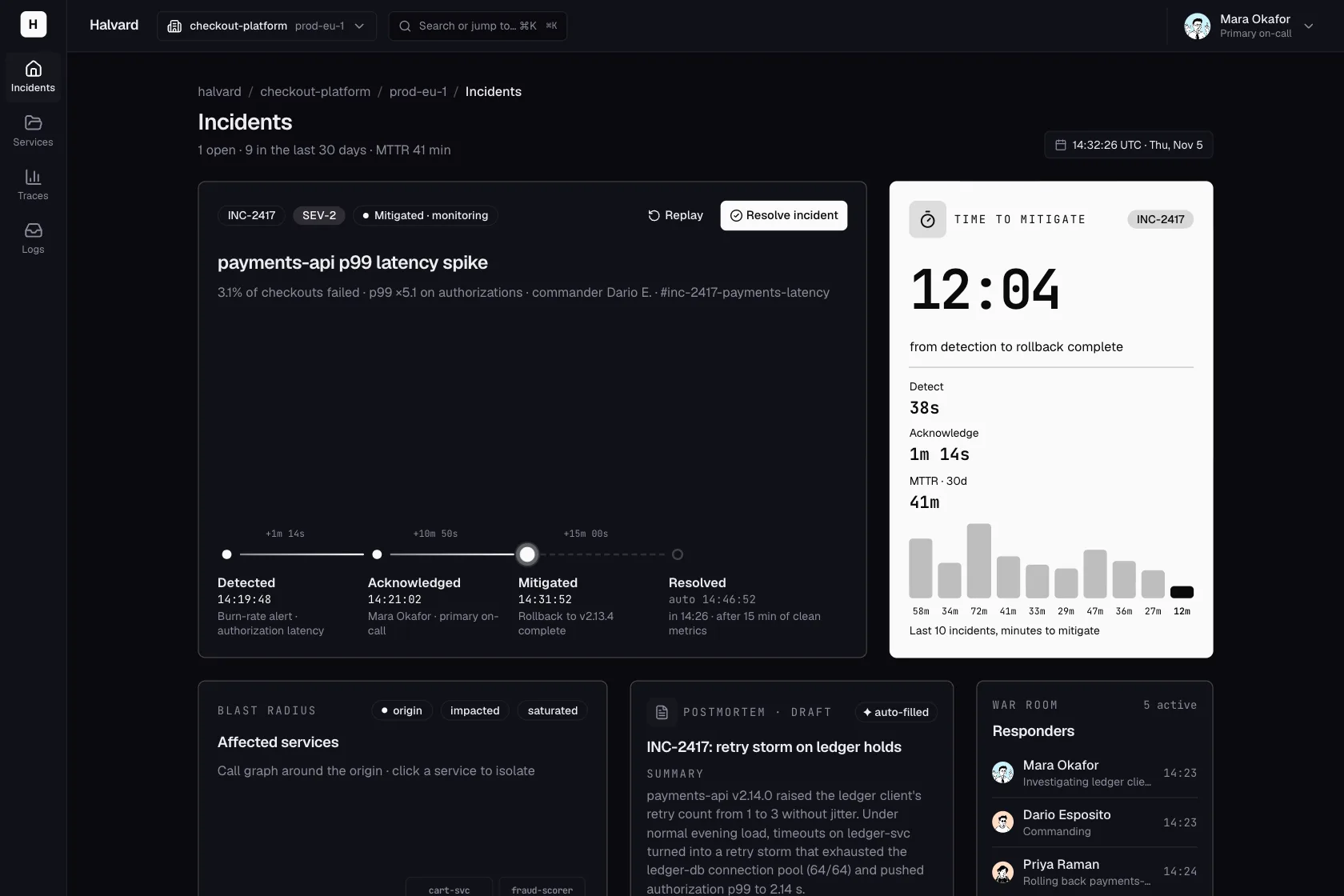 Popular styleDarkMono DarkA black-and-white developer UI style: a dark page, white as the only brand colour, Geist type, thin outlined cards, tight corners and monospace labels.
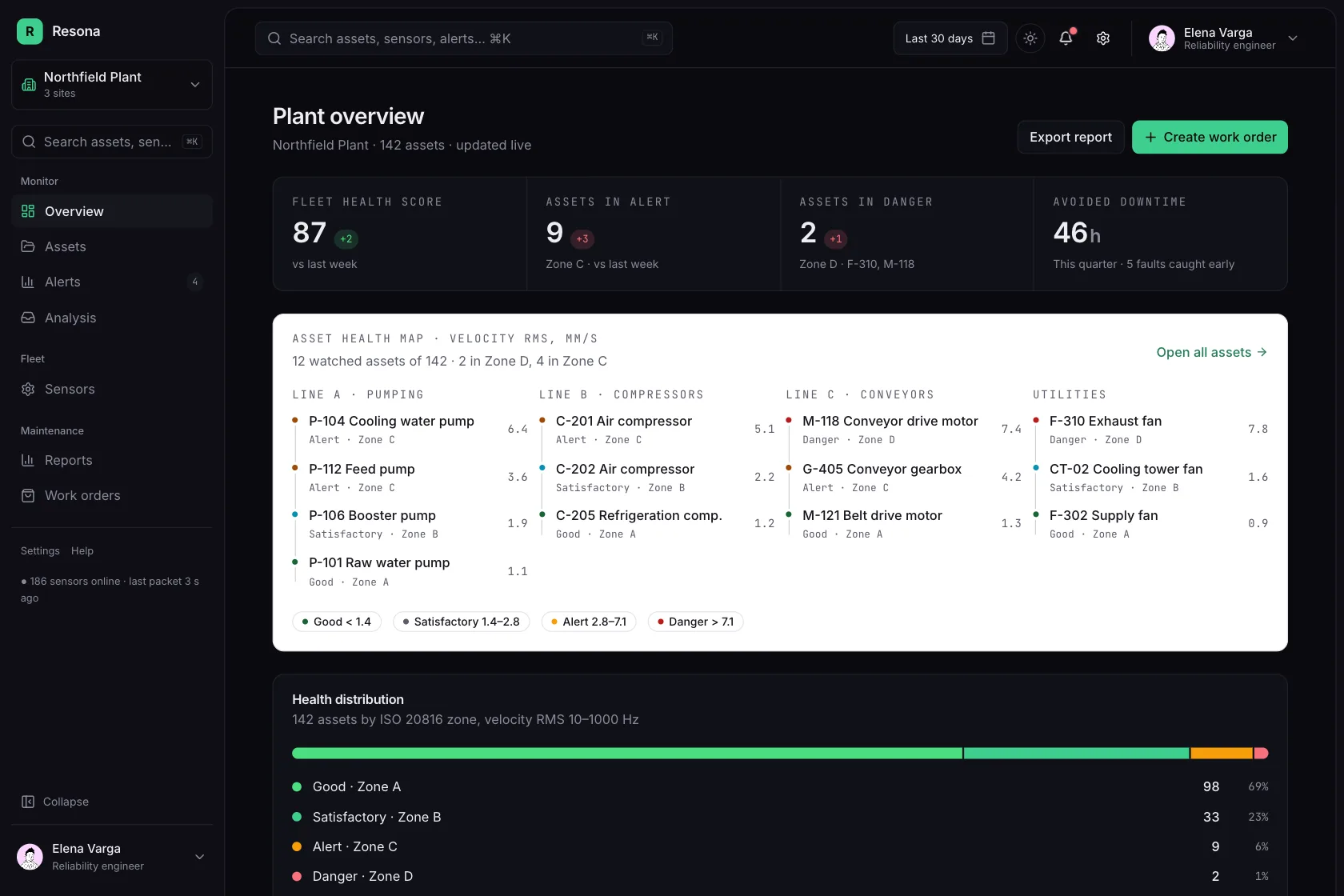 Popular styleDarkEmerald DarkA dark UI style with an emerald green accent: bordered cards, outlined fields, tables split by lines, Inter type and monospace labels.
Try Midnight Neon.
Get it designed.
Start a free trial with no card, and Studio designs every page of your app from one prompt, in the style you choose.
Or start from an example