Signature style · Light · GliaKit Studio
Riso Print: a risograph print UI style in navy and fluorescent pink
Riso Print is a two-drum risograph print style: cream paper and halftone dots, navy outlines with every shape printed again in fluorescent pink a little off register, poster caps headings and hatched charts. It suits music, events, clubs and venues, zines, magazines, posters and indie art: anything that should feel printed by hand.
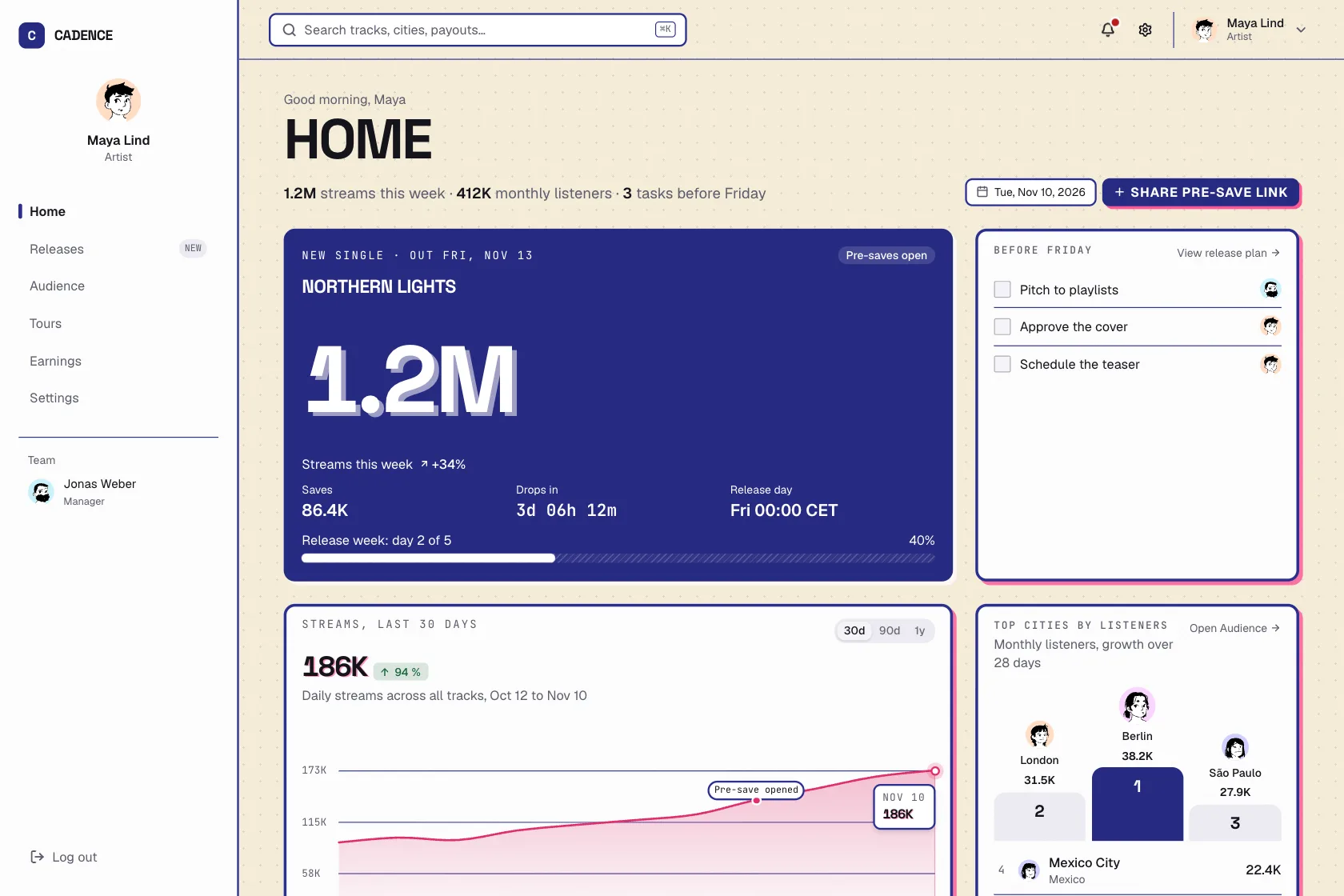
What Riso Print changes
Picked in Studio, the style sets all of this on every page at once.
- Colour
- Light mode on cream paper with navy halftone dots and grain, navy and fluorescent pink as the two inks
- Type
- Space Grotesk headings in bold capitals, Geist body text, monospace labels, heavy figures
- Corners
- Soft: 8px on buttons and fields, 12px on cards
- Density
- Comfortable: Studio's standard 4px spacing step
- Cards
- 2px navy outlines printed again in pink off register; riso ink tiles; unfilled tracks and bars hatched
- Controls
- Print buttons, outlined fields, square badges, boxed tabs, striped progress bars, tables split by lines
Colours
- #2b2f8fBrand: navy ink, outlines and the lead card
- #ff3d8bSecond ink: fluorescent pink
- #f4ecd8Paper
Made for
Studio suggests Riso Print when a prompt mentions:
- riso
- risograph
- zine
- poster
- retro
- indie
- music
- events
- club
- venue
- magazine
- art
- playful
- bold
Every page downloads as a plain Next.js project on the free GliaKit kit, in this style, and goes to Figma as editable layers.
More styles
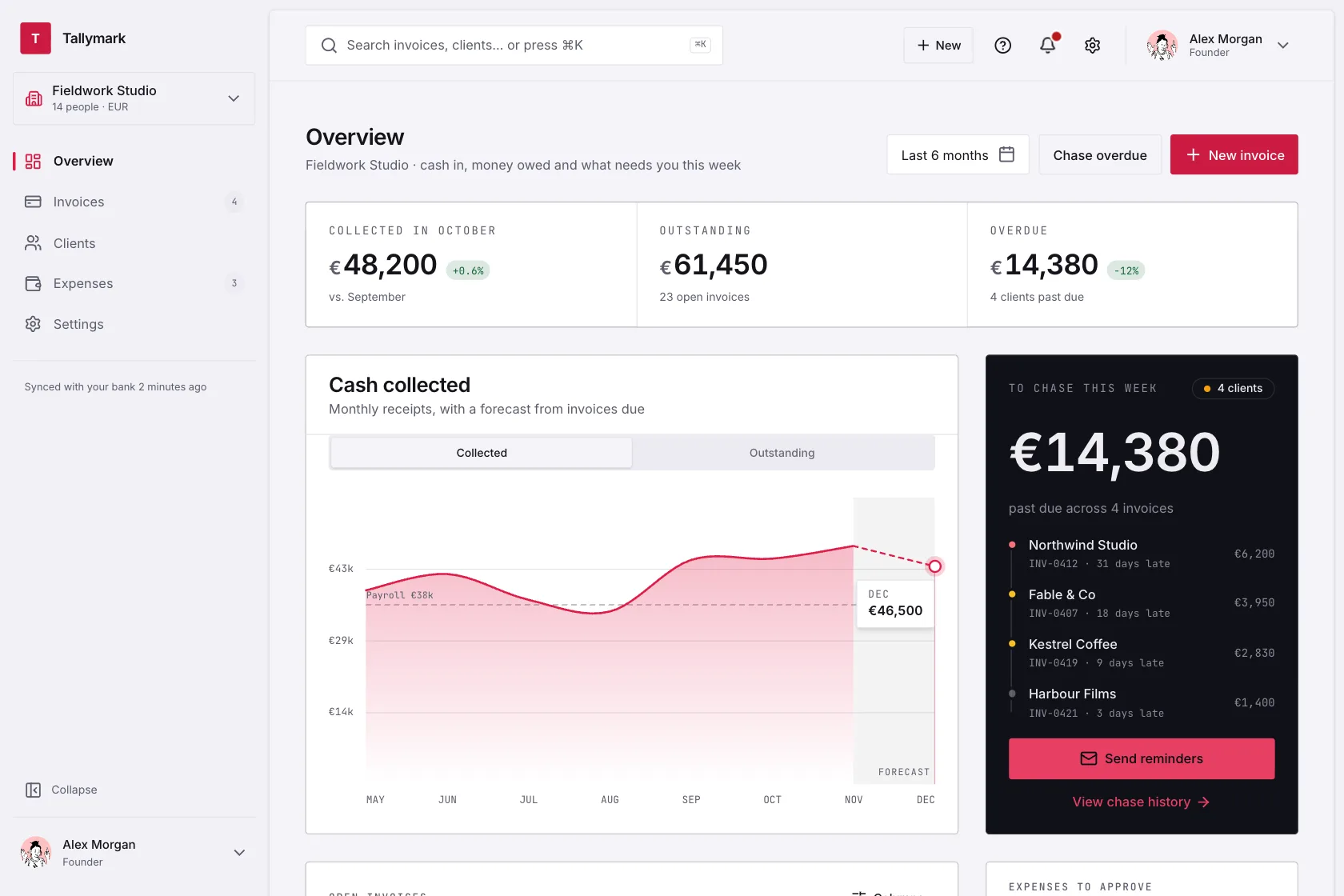 StyleLightSwiss MinimalA minimal, Swiss-style UI: sharp corners, a rule under every card header, underlined fields, monospace labels, spacious layout and a single red.
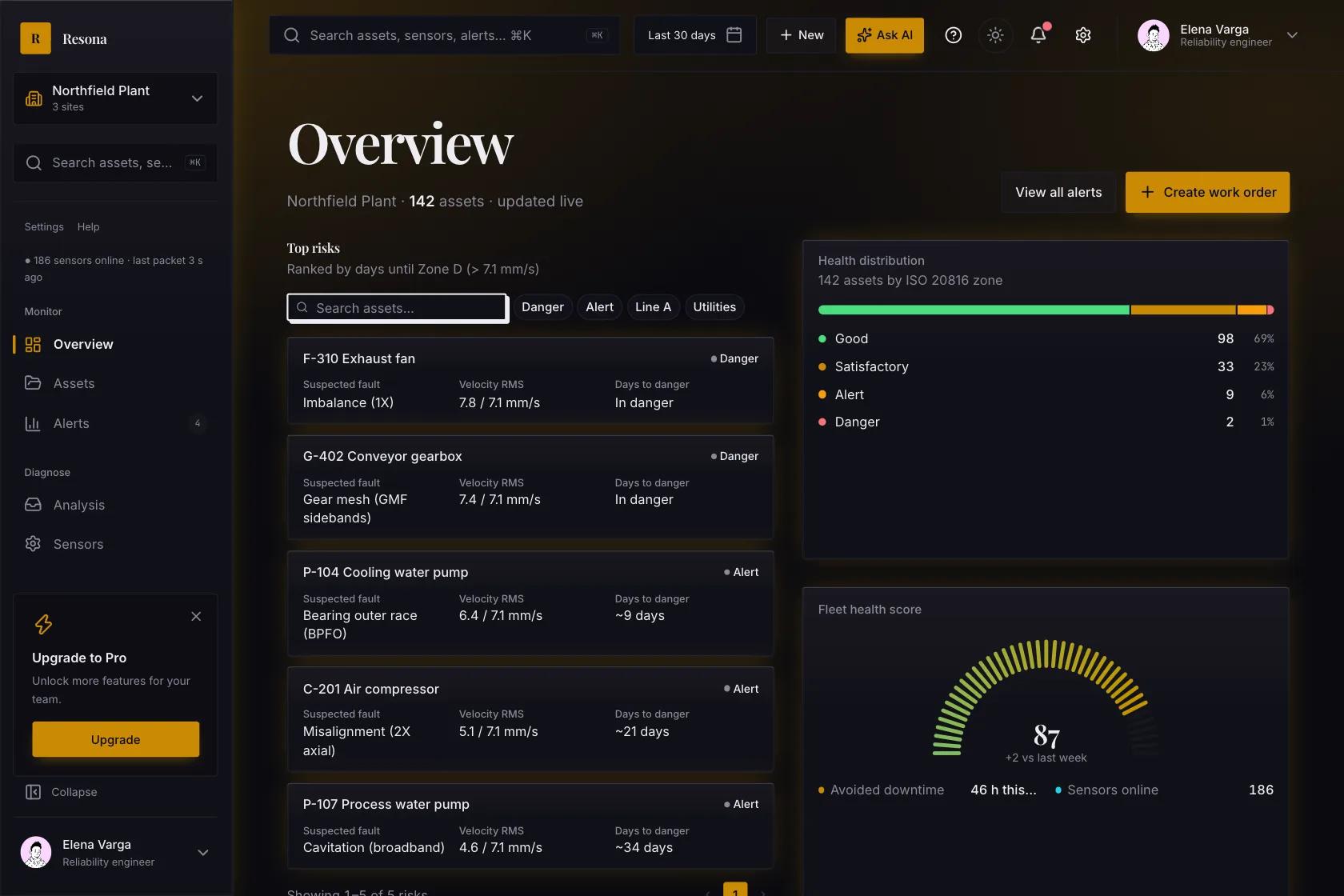 StyleDarkEditorial LuxeA dark luxury style: a spacious layout, a gold brand colour, Playfair Display serif headings, sharp corners, outlined buttons and a warm glow behind the page.
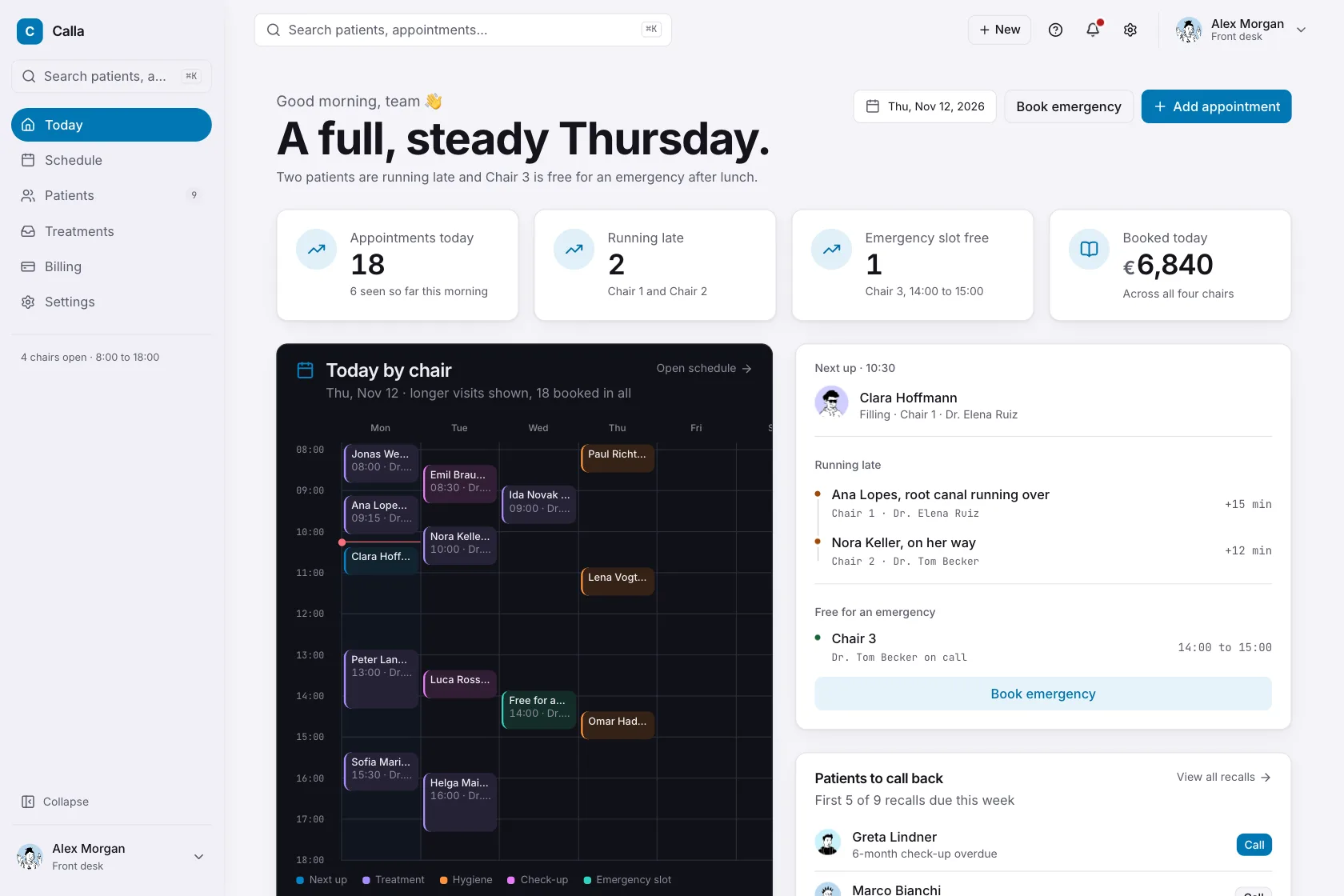 StyleLightClinical CleanA clean, light UI style in a trustworthy sky blue: bordered cards with a soft shadow, outlined fields, zebra-striped tables and Inter throughout.
Try Riso Print.
Get it designed.
Start a free trial with no card, and Studio designs every page of your app from one prompt, in the style you choose.
Or start from an example