Dashboard style · Light · GliaKit Studio
Command Orange: a light operations UI style with one signal orange
Command Orange is a light operations style: ink and one signal orange on a cool grey page, white cards, black actions, and orange only where something moves or is at risk. It suits logistics, fleets and dispatch, trucking, freight and delivery, routes and maps: operations run by agents that wait on people's approvals.
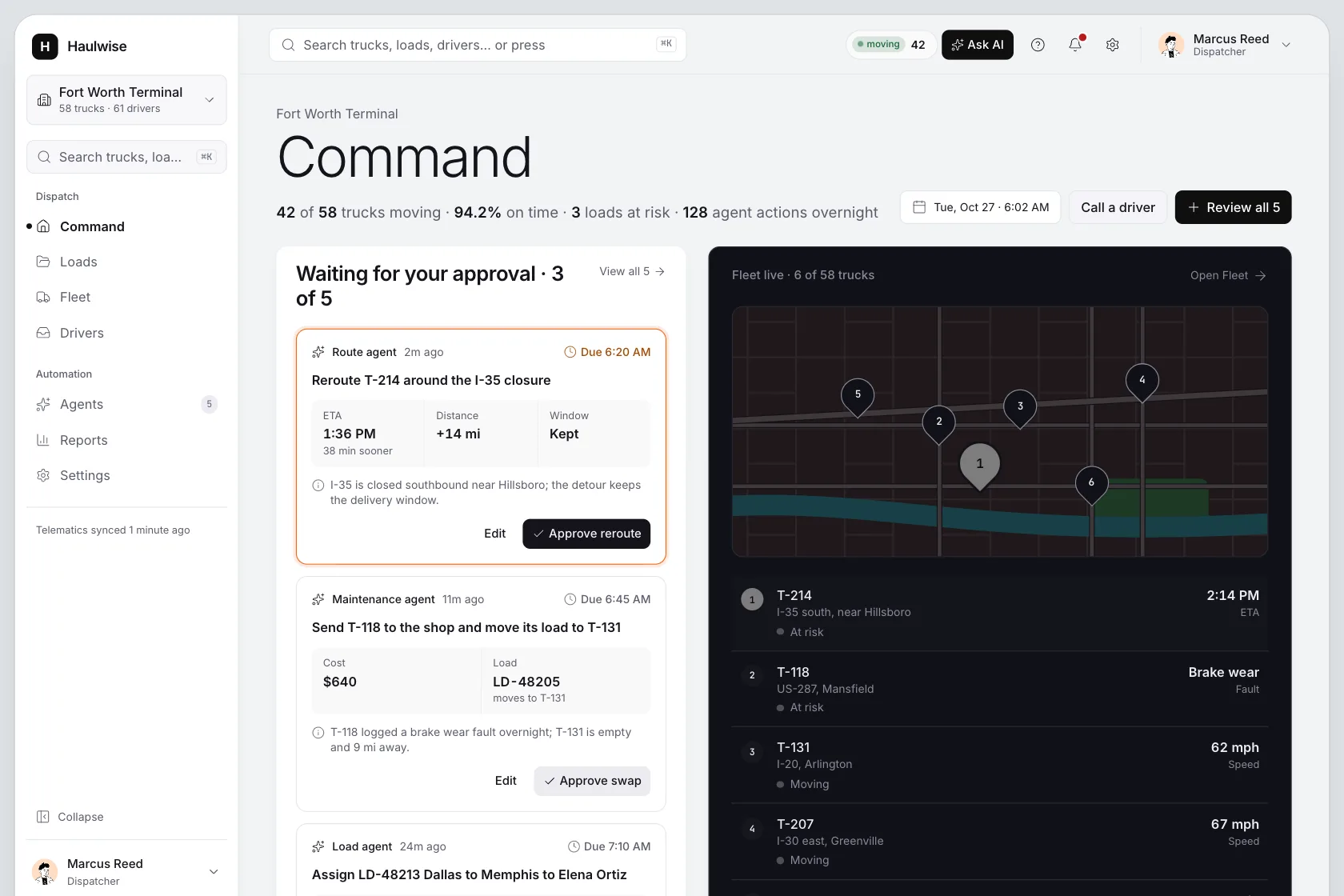
What Command Orange changes
Picked in Studio, the style sets all of this on every page at once.
- Colour
- Light mode on cool grey, black as the brand colour and orange as the only signal
- Type
- Inter for headings and body text
- Corners
- Soft: 8px on buttons and fields, 12px on cards
- Density
- Comfortable: Studio's standard 4px spacing step
- Cards
- Borderless white with a slight shadow; the lead card in ink; the app as one sheet on a grey outer page
- Controls
- Flat buttons, filled fields, status as a dot, underlined tabs, thin progress bars, thin icons
Colours
- #111111Brand: buttons and the ink lead card
- #f26b1dSignal: what moves or is at risk
- #f2f3f5Page behind the cards
- #dfe2e6Outer page around the app
Made for
Studio suggests Command Orange when a prompt mentions:
- logistics
- fleet
- dispatch
- trucking
- freight
- delivery
- routes
- map
- operations
- ops
- agents
- approvals
- orange
- light
Every page downloads as a plain Next.js project on the free GliaKit kit, in this style, and goes to Figma as editable layers.
More styles
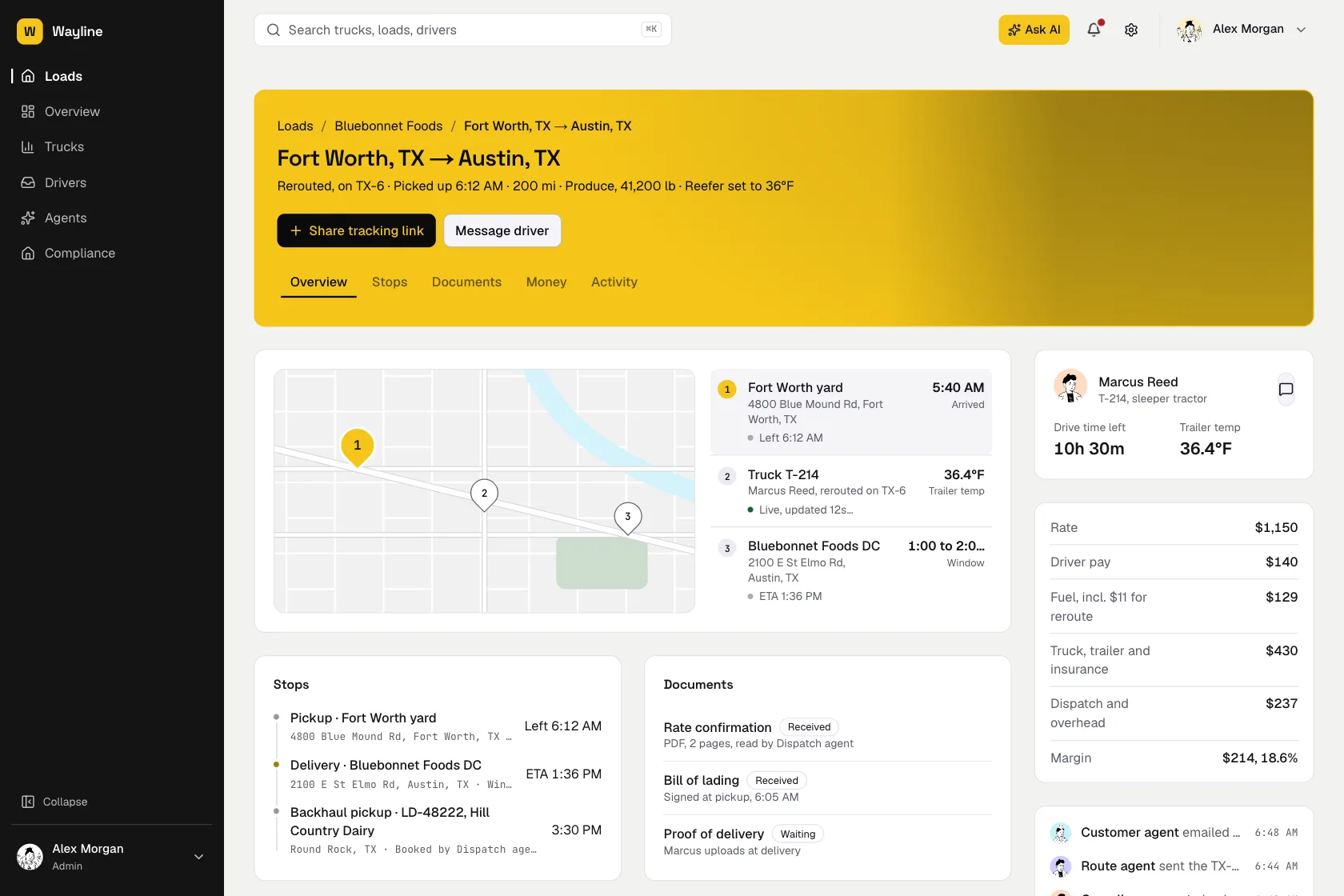 Dashboard styleLightHazard YellowA bold industrial style: safety yellow on grey paper with a black sidebar, one yellow summary card, monospace figures and hatched bars.
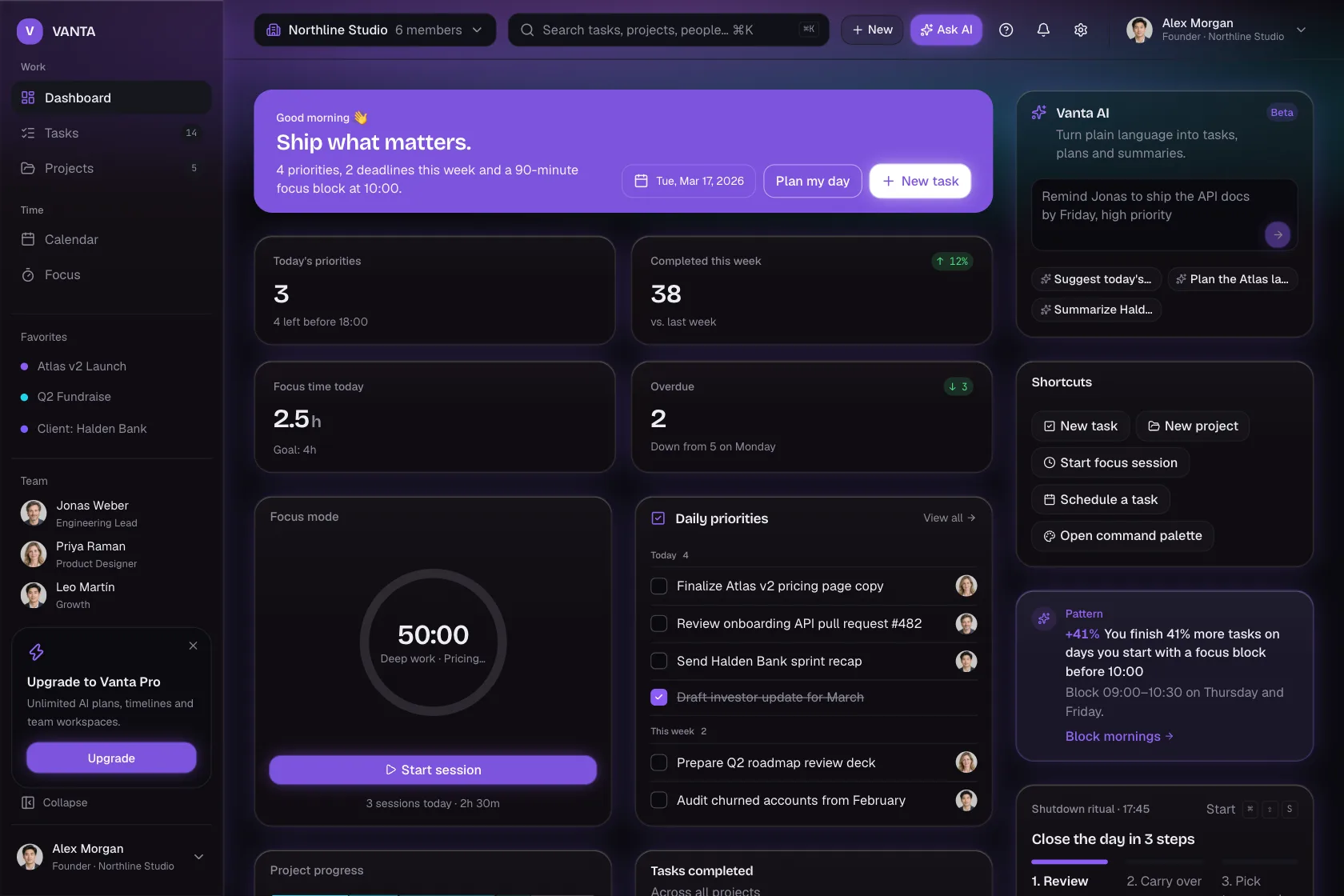 Signature styleDarkAurora GlassA dark glassmorphism style: frosted glass cards and menus over a violet aurora, a brand glow on the buttons, violet with cyan, and Bricolage Grotesque headings.
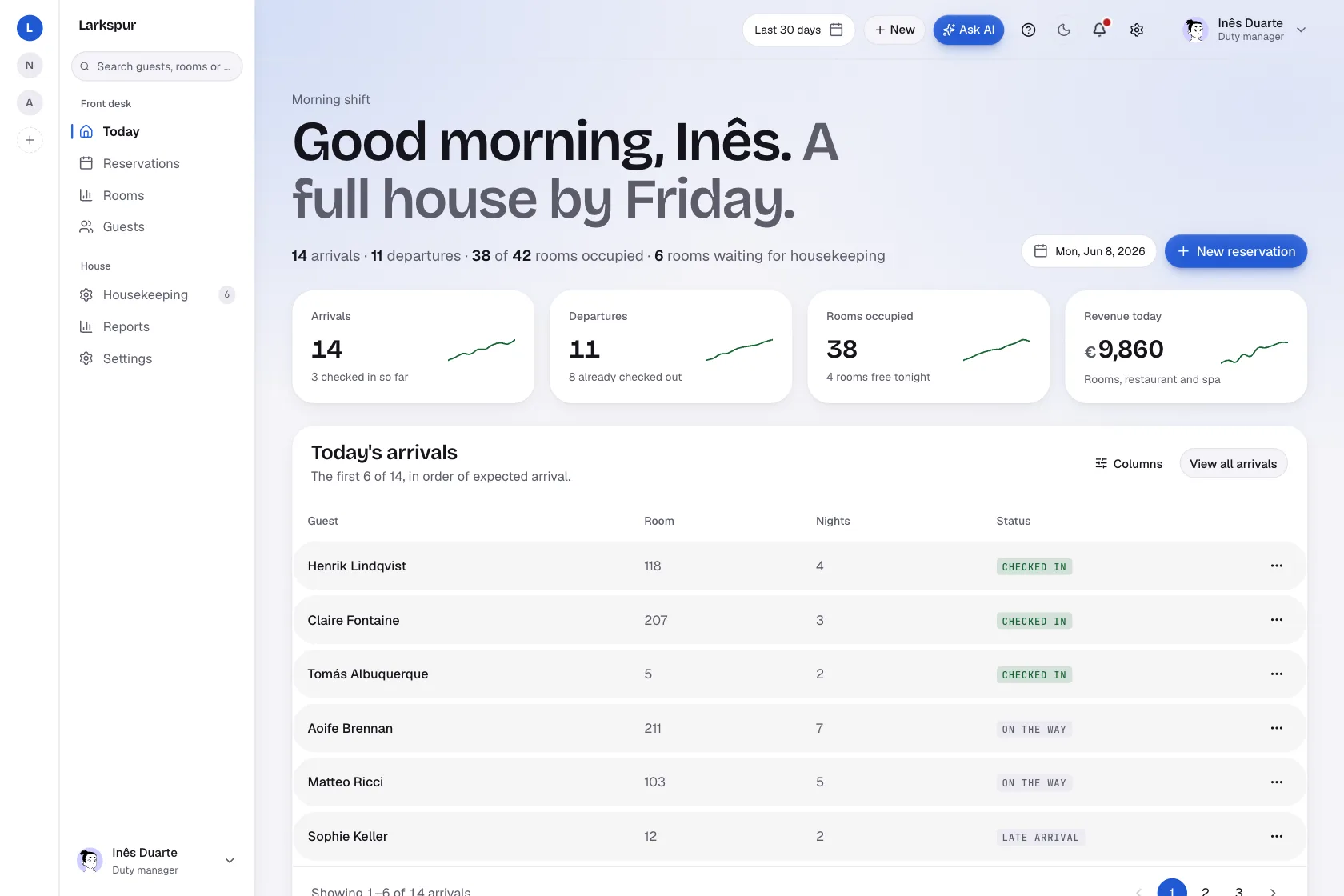 Signature styleLightGlossy PopA bright consumer UI style: glossy blue pill buttons, cards lifted on a soft shadow, pill fields, segmented tabs and a faint glow behind the page.
Try Command Orange.
Get it designed.
Start a free trial with no card, and Studio designs every page of your app from one prompt, in the style you choose.
Or start from an example