
Describe your app.
Get it designed.
GliaKit Studio designs every page of your app from one prompt, in one consistent look, and exports clean Next.js code you own.
The Next.js kit and the Figma file are free. Studio is priced per seat.

- 1Describe itDescribe
- 2Theme itTheme
- 3Download the codeDownload
Examples
A few prompts. A real product.
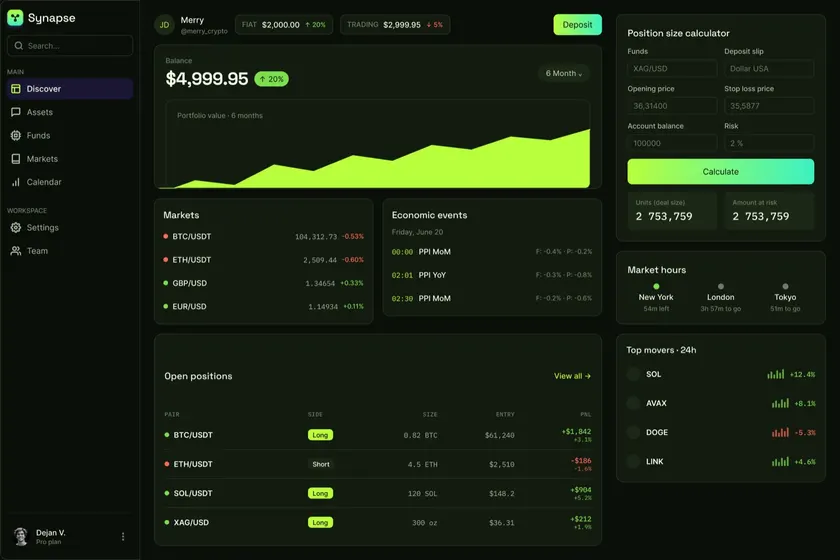
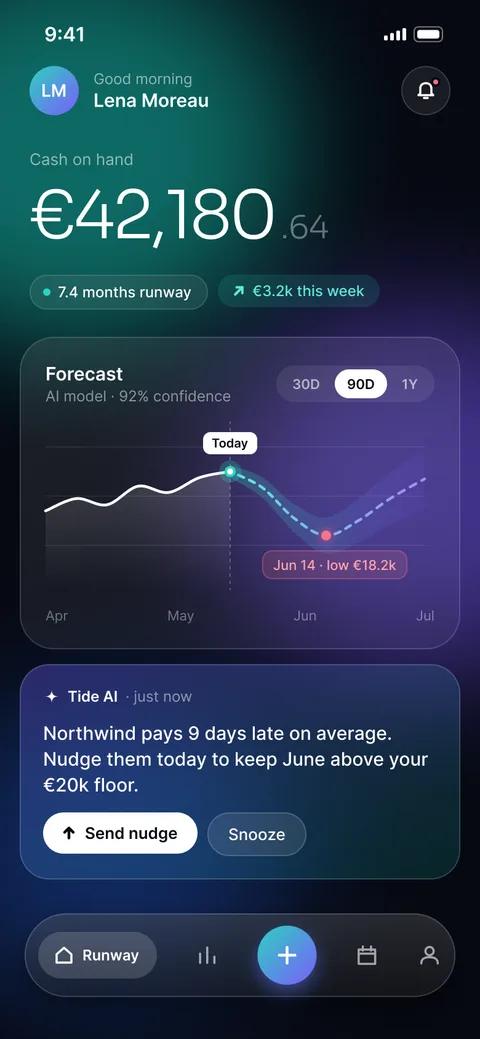
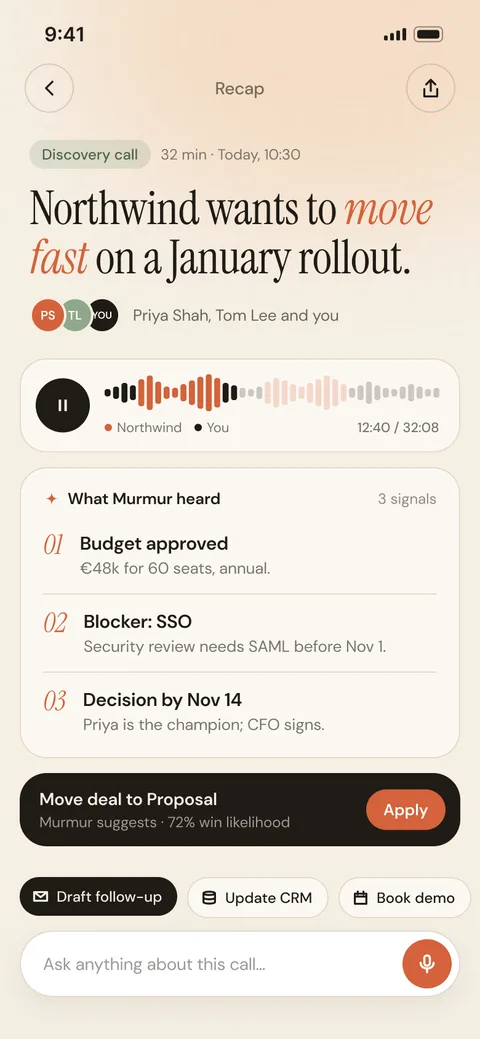
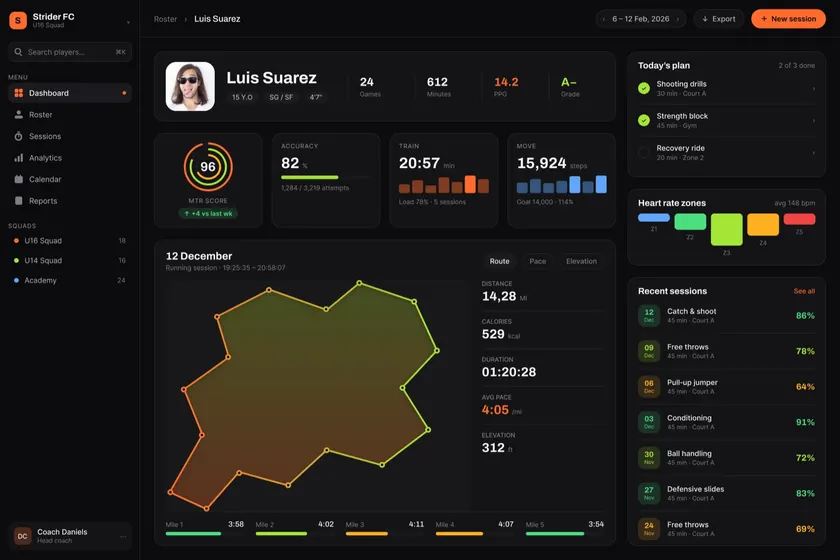
How it works
One prompt.
Every page. Your code.
Studio designs with the free GliaKit components, so what you see is exactly what you download.
- 1Describe itSay what your app does. Studio plans the pages and designs each one in context, in one art direction.
- 2Make it yoursPick a look, set your brand, edit text where it sits and drag sections into place. Wire buttons to pages.
- 3Download itA Next.js project with only what your pages use, on the free GliaKit components.
- sections
- 50
- sections
- art directions
- 5
- art directions
- Figma and code
- 1:1
- Figma and code
import { AppFrame, Columns } from "@/components/studio/frames";import { ActivityListCard, StatRow, TaskListCard,} from "@/components/studio/blocks"; // Generated by GliaKit Studio.export default function Page() { return ( <AppFrame appName="Atlas" nav={NAV}> <StatRow /> <Columns widths={[8, 4]}> <TaskListCard title="Today's priorities" /> <ActivityListCard title="Recent activity" /> </Columns> </AppFrame> );}Inside Studio
The first prompt is just the start.
Wireframe it, edit it by hand, map the flow and share it, all before you export.
Wireframes, then the design
Agree the structure on a wireframe first. One switch brings the design back.
Edit it by hand
Drag sections to reorder them. Double-click any text to edit it in place.
See the whole flow
Every page and the dialogs and drawers it opens, on one canvas.
Your design system, as a library
Every token and component in your theme, and it follows every change.
Share it, collect comments
Share a clickable prototype. Reviewers pin comments right on the page.
Why Studio
Not another AI design tool.
Most AI builders write every line of your UI from scratch, so you pay for it in tokens and fix it in prompts. Studio designs with a finished system instead.
Your credits go further
The model writes a short plan like this one. The page is built from finished GliaKit components, so your AI credits pay for the plan, not for the UI code or the prompts it takes to fix it.
- The plan Studio’s model writes
- ~2,000 tokens
- The UI code that plan becomes
- ~70,000 tokens
Measured on three pages (yoga booking, law-firm CRM, dental clinic): Claude wrote 2,000–2,150 output tokens each; each export held 68,000–71,000 tokens of UI code, counted with Anthropic’s token counter.
{ "appName": "Lotus", "nav": ["Home", "Classes", "Members"], "sections": [ { "section": "page-header", "variant": "greeting" }, { "section": "stat-row", "variant": "cards" }, { "section": "task-list", "variant": "checklist" } ]}One system on every page
Every screen is built from the same components and tokens, so page ten matches page one. No drift, no restyling pass.
Code you own
Plain Next.js on shadcn-style components. No platform runtime, no lock-in: open it in your editor and keep going.
Your AI tools stay on style
Rules files teach Cursor and Claude Code the system, so new screens match without fix-up prompts. The savings carry on after export.
A matching Figma file
The same components in Figma, with variables named like the code, for when a designer joins in.
Free kit. Studio per seat.
Build with the kit for free, or let Studio design it. Pay for the seats you use and the AI work you run.
Studio
Free trial€—per seat / month
Design every page of your app from a prompt, make it yours and export the code.
- Every page from one prompt
- Five art directions and full theming
- Edit in place and drag to rearrange
- Figma round trip, share links and comments
- Projects, versions and a Next.js export
- Monthly AI credits with every seat
Kit
Freecode and Figma
The Next.js boilerplate, Figma design system and AI rules Studio designs with.
- Next.js + shadcn/ui boilerplate
- All 15 screens, wired and routed
- Auth, payments, database and email connected
- Figma design system, one to one with the code
- AI rules files and a prompt library
How AI credits work
- Included with every seat
- Each seat comes with AI credits every month. Need more? Top up with a credit pack at any time.
- Spent on AI work only
- Generating an app from a prompt, and designing or redesigning a page.
- Everything else is included
- Theming, art directions, editing in place, moving sections, Figma sync, sharing and exporting don’t use credits.
The kit
The kit is free.
Code and Figma.
The same system Studio designs with. Download it, build with it, keep it. Studio is the paid part.
Next.js boilerplate
Next.js 16 and shadcn/ui, with auth, payments, database and email connected.
Figma design system
Tokens, variables and components that match the code one to one, light and dark.
AI rules files
Rules and prompts so Cursor and Claude Code build screens that already match.
15 wired screens
Dashboard, billing, settings and more, routed and ready to make your own.
Frequently asked questions
Still unsure? Email hello@uiforge.design and the person who built it will reply.
Describe it today.
Ship it designed.
Start a free Studio trial, or build with the free kit today.